

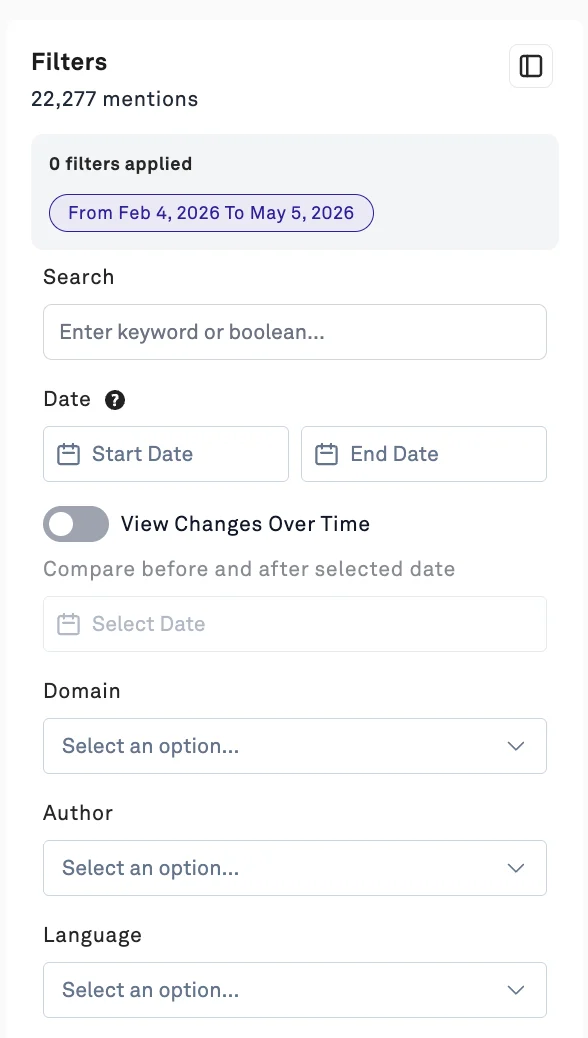
- Date Range: This dropdown allows you to filter the content in your view. You can retrieve 5 years of historic news data. By default, the workspaces filter for a 90 day window of data.
- Channel: Display only results from specific media channels (such as X, Reddit, or News)
- Domain: Display the mentions specific domain
- Narrative: Display only mentions within specific narratives
- Author: Display only results written by a specific author
- Language: Display only results from specific languages
- De-Duplicate: Return de-duplicated content over News/ Blogs.
- Coordinated Behavior: Filters to help you identify sources of malicious or coordinated behavior. Check out more here.
- Publisher Geography (News Only): Return news articles coming from specific geographic regions.
- You also have the ability to search for specific keywords or boolean queries in the “Search” box
Now that you’re familiar with the mechanics filtering the content in your workspace, you may be wondering how to translate your particular use case into the PeakMetrics platform. Check out this workflow guide! Need more help? Feel free to reach out to us via Live Chat or at support@peakmetrics.com!