

What is Reach?
Reach metrics estimate the potential number of viewers likely to be exposed to specific online content, such as news articles, blogs, or social media posts. They reflect the potential exposure of a particular source.Benefits of Reach Metrics
With Reach metrics, PeakMetrics users can:- Quantify Influence: Gain accurate estimates of content visibility to measure impact.
- Enhance Future Capabilities: Incorporate reach factors into advanced tools like Narratives and Threat Scores in upcoming releases.
- Sort & Filter Data: Leverage unique perspectives to streamline workflows and make data-driven decisions.
Channel-Specific Reach Calculations
Reach is measured at the time of post.
Aggregating Reach Metrics
At the Workspace Level
Reach is aggregated by summing the reach values of individual mentions over time (daily, weekly, monthly). These can be viewed across various dimensions to support analysis.At the Narrative Level
Reach at the Narrative level is calculated the same way as at the Workspace level, providing consistent metrics across both views.Functionality Overview
Reach is integrated into three locations within your dashboard. 1. Mentions & Narrative Feeds-
Filters
- Click on the filter icon:
- Go to Metrics —> Reach
- Customize the mentions / narratives that you’d like to see by their Reach numbers.
- Click on the filter icon:
-
Sorting
- Choose Reach as your sorting mechanism:

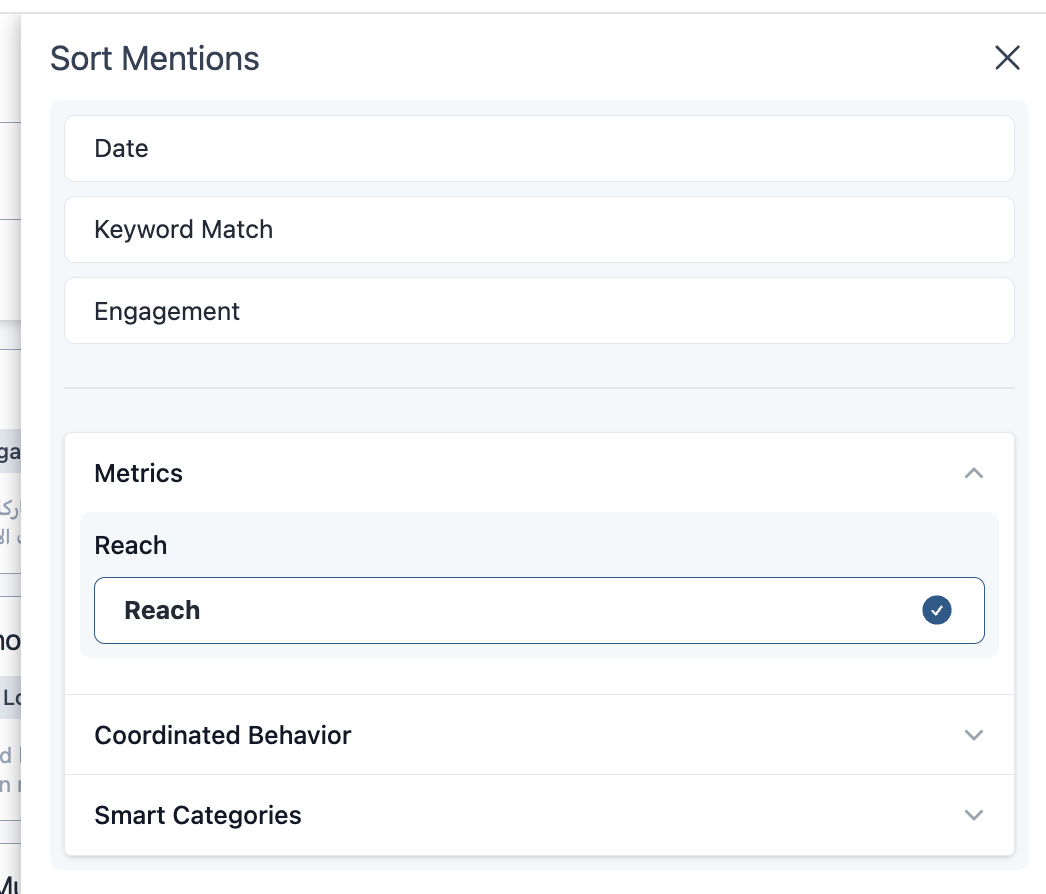
- View workspace results (either mentions or narratives) in order of highest to lowest reach to understand which mentions or narratives have the most potential influence.
- Choose Reach as your sorting mechanism:
- You can see reach fields in your CSV exports.

- Under Settings —> Threat Scores, you can edit the weight that reach has within your threat
scores. This can be done across all workspaces or individually so you can customize how reach
impacts each topic you’re tracking. Read more in the
Comprehensive Guide to Threat Scores.
%20(2).gif)
For further assistance or questions, contact our Customer Success Team at support@peakmetrics.com.