

How do Smart Categories function?
Smart Categories enable seamless tagging by applying suggested prompts to all mentions in your workspace. Follow these steps to set up and use Smart Categories:Setting Up Smart Categories
- Navigate to Settings → Smart Categories
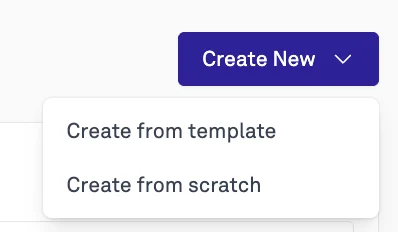
- Click on Create New Smart Category
- You have the ability to create a smart category from scratch (building your own prompts) or from one of four templates:
- Favorability: Analyze how favorably your brand or organization is portrayed based on tone, framing, and context.
- Relevance Detection: Filter out noise and surface only mentions truly relevant to your organization
- Violent Rhetoric Detection: Flag mentions containing violent rhetoric or threatening language
- Political Leaning Detection: Identify the political leaning or bias expressed in mentions
- You have the ability to create a smart category from scratch (building your own prompts) or from one of four templates:
- You’ll see a menu where you can configure your category:
- Create a specific prompt that will run across your workspace.
- Fill in the required fields.
- Your filters will update in the dashboard within 30 minutes.
- Navigate to Workspace → Filters → Smart Categories
- View live tagged data or export the data into a CSV for further analysis.
Smart Category Tagging Frequency
- Smart Categories update new data in your dashboard every hour, ensuring your tagging remains up to date with the latest information.