

How Do Narrative Layers Work?
Layer Breakdown:
- High-Level Layer – Most Consolidated
- Description: This layer captures the broadest and most abstract themes of a narrative, reflecting overarching storylines or societal-level discourses. It is driven by long-term patterns in communication and public discourse, such as geopolitical tensions or climate change debates.
- Use Case: Best for executive summaries or strategic insights where understanding general trends or societal movements is more important than granular details.
- General Layer
- Description: The General layer provides a mid-level view, connecting related discussions or topics within the broader high-level theme. It consolidates a wide range of mentions into cohesive thematic groupings.
- Use Case: Useful for content analysts or communication strategists who track developments, subtopics, or clusters of viewpoints over time.
- Detailed Layer
- Description: The Detailed layer dives deeper into the narrative by grouping mentions that share specific attributes, such as similar keywords, tone, or framing. This layer may focus on concrete sub-events or consistent messaging patterns, offering a finer understanding of how the narrative unfolds.
- Use Case: Ideal for researchers or media intelligence teams who need to analyze how different actors frame an issue, compare sentiment, or track consistent messaging patterns across sources.
- Specific Layer – Most Granular
- Description: The Specific layer is the most granular, focusing on individual mentions or small clusters of data points. These could include a viral tweet, a news article about a specific incident, or a recurring phrase in a niche community.
- Use Case: Best for identifying isolated but potentially high-impact data points that may be overlooked in broader analyses.
Why Use Narrative Layers?
- Manage Large Workspaces: Narrative layers allow you to manage large, complex workspaces with hundreds of narratives.
- Seamless Toggling: Toggle between broad and detailed views with ease, ensuring you can drill down into the specifics or zoom out for the big picture as needed.
- Efficient Data Organization: Layers preserve all generated narratives while organizing them into a structured format, enabling streamlined analysis and reporting.
Default Narrative Layers
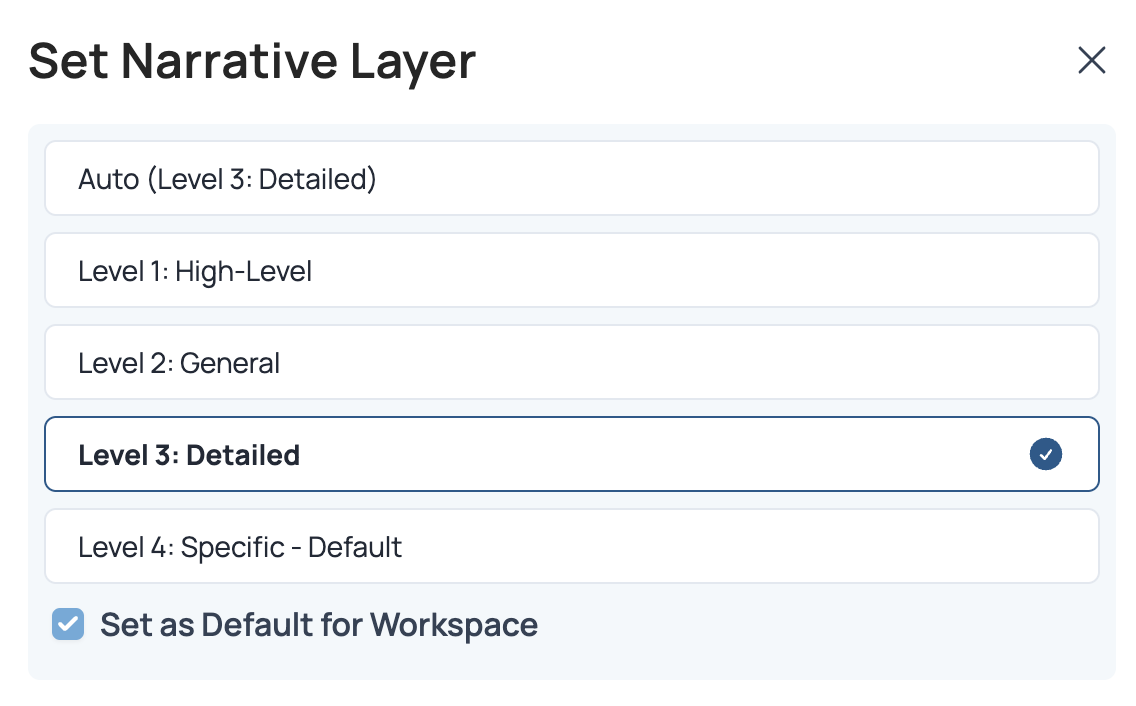
Narrative layers use an auto-level detection based on the number of mentions in a workspace.10k mentions → Level 450k mentions → Level 3 100k mentions → Level 2 >100k mentions → Level 1 In addition to auto-detection and the ability to toggle between layers, we now allow users to set a default layer within the app. This feature eliminates the need to constantly switch between layers and ensures that your workspace always opens with your preferred level of detail.
Workflow to Test Narrative Layers
- Open a Workspace: Navigate to a workspace you are familiar with.
- Explore the Layers: Start with Layer 3 (the most granular) and toggle through the layers to observe how the number of narratives decreases at higher layers.
- Compare Narrative Shifts: Analyze how the narratives shift in terms of detail and consolidation as you move from Layer 3 to Layer 0.