> ## Documentation Index
> Fetch the complete documentation index at: https://docs.peakmetrics.com/llms.txt
> Use this file to discover all available pages before exploring further.
# Smart Categories AI Classification
> Automatically tag mentions in your workspace using AI-driven prompts for seamless content classification.
### How do Smart Categories function?
Smart Categories enable seamless tagging by applying suggested prompts to all mentions in your workspace. Follow these steps to set up and use Smart Categories:
### Setting Up Smart Categories
1. Navigate to **Settings → Smart Categories**
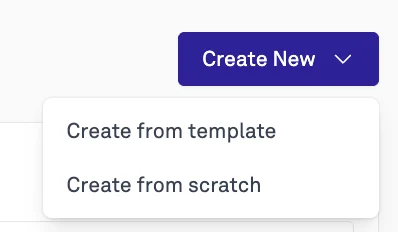
2. Click on **Create New Smart Category**
* You have the ability to create a smart category from scratch (building your own prompts) or from one of four templates:
* Favorability: Analyze how favorably your brand or organization is portrayed based on tone, framing, and context.
* Relevance Detection: Filter out noise and surface only mentions truly relevant to your organization
* Violent Rhetoric Detection: Flag mentions containing violent rhetoric or threatening language
* Political Leaning Detection: Identify the political leaning or bias expressed in mentions
 1. You'll see a menu where you can configure your category:
* Create a specific prompt that will run across your workspace.
* Fill in the required fields.
* Your filters will update in the dashboard within 30 minutes.
2. Navigate to **Workspace → Filters → Smart Categories**
3. View live tagged data or export the data into a CSV for further analysis.
### Smart Category Tagging Frequency
* Smart Categories update new data in your dashboard **every hour**, ensuring your tagging remains up to date with the latest information.
This feature streamlines content classification and enhances data analysis, making it a valuable tool for efficient workspace management.
### Additional Resources
Any other questions? Check out our [Smart Categories Workflow Guide](/help/workflows/smart-categories-workflow-guide) or reach out to [support@peakmetrics.com](mailto:support@peakmetrics.com)!
1. You'll see a menu where you can configure your category:
* Create a specific prompt that will run across your workspace.
* Fill in the required fields.
* Your filters will update in the dashboard within 30 minutes.
2. Navigate to **Workspace → Filters → Smart Categories**
3. View live tagged data or export the data into a CSV for further analysis.
### Smart Category Tagging Frequency
* Smart Categories update new data in your dashboard **every hour**, ensuring your tagging remains up to date with the latest information.
This feature streamlines content classification and enhances data analysis, making it a valuable tool for efficient workspace management.
### Additional Resources
Any other questions? Check out our [Smart Categories Workflow Guide](/help/workflows/smart-categories-workflow-guide) or reach out to [support@peakmetrics.com](mailto:support@peakmetrics.com)!